Asynchronous Pixel Walking Simulation with Parallel Processing
Generated
2025-12-28
Code Coverage Analysis
Test coverage provides insight into which code paths are exercised by the test suite.
Overall Coverage
Show code
# Load pre-computed coverage from targets pipeline (if available)cov_data <-tryCatch({tar_read(code_coverage)}, error =function(e) NULL)cov_available <-!is.null(cov_data)if (cov_available) {cat(sprintf("Overall Test Coverage: %.1f%%\n", cov_data$overall_pct))} else {cat("⚠️ Code coverage analysis is temporarily disabled.\n\n")cat("The covr::package_coverage() function encounters 'error reading from connection'\n")cat("in Nix environments. This is a known compatibility issue being tracked.\n\n")cat("To generate coverage locally:\n")cat(" coverage <- covr::package_coverage()\n")cat(" covr::report(coverage)\n")}
⚠️ Code coverage analysis is temporarily disabled.

The covr::package_coverage() function encounters 'error reading from connection'
in Nix environments. This is a known compatibility issue being tracked.

To generate coverage locally:
  coverage <- covr::package_coverage()
  covr::report(coverage)
Coverage by File
Show code
# Use pre-computed file summary from targets (if available)if (cov_available) { file_summary <- cov_data$file_summary file_summary %>%kable(digits =1,col.names =c("File", "Total Lines", "Covered Lines", "Coverage (%)"),caption ="Test Coverage by File" )} else {cat("Coverage data not available - code_coverage target is disabled\n")}
Coverage data not available - code_coverage target is disabled
Coverage Visualization
Show code
if (cov_available) { file_summary %>%mutate(filename =reorder(filename, coverage_pct)) %>%ggplot(aes(x = filename, y = coverage_pct)) +geom_col(aes(fill = coverage_pct), alpha =0.8) +geom_hline(yintercept =80, linetype ="dashed", color ="red") +scale_fill_gradient2(low ="red", mid ="yellow", high ="green",midpoint =50, limits =c(0, 100),name ="Coverage %" ) +coord_flip() +labs(title ="Test Coverage by File",subtitle ="Dashed line shows 80% coverage target",x ="File",y ="Coverage (%)" ) +theme_minimal() +theme(legend.position ="bottom")} else {cat("Coverage visualization not available - code_coverage target is disabled\n")}
Coverage visualization not available - code_coverage target is disabled
Untested Code Hotspots
Files with low coverage that need additional tests:
Show code
if (cov_available) { low_coverage <- file_summary %>%filter(coverage_pct <80) %>%arrange(coverage_pct)if (nrow(low_coverage) >0) { low_coverage %>%kable(digits =1,col.names =c("File", "Total Lines", "Covered Lines", "Coverage (%)"),caption ="Files Below 80% Coverage (Need More Tests)" ) } else {cat("✅ All files have >80% coverage!\n") }} else {cat("Coverage data not available - code_coverage target is disabled\n")}
Coverage data not available - code_coverage target is disabled
Pipeline Performance Telemetry
Pipeline Network Visualization
The targets pipeline dependency graph shows how targets depend on each other:
Show code
# Visualize the pipeline networktar_visnetwork(targets_only =TRUE,label =c("time", "size", "branches"))
Interactive: Click and drag nodes to explore dependencies. Hover for details.
Target Execution Statistics
Summary Table
Show code
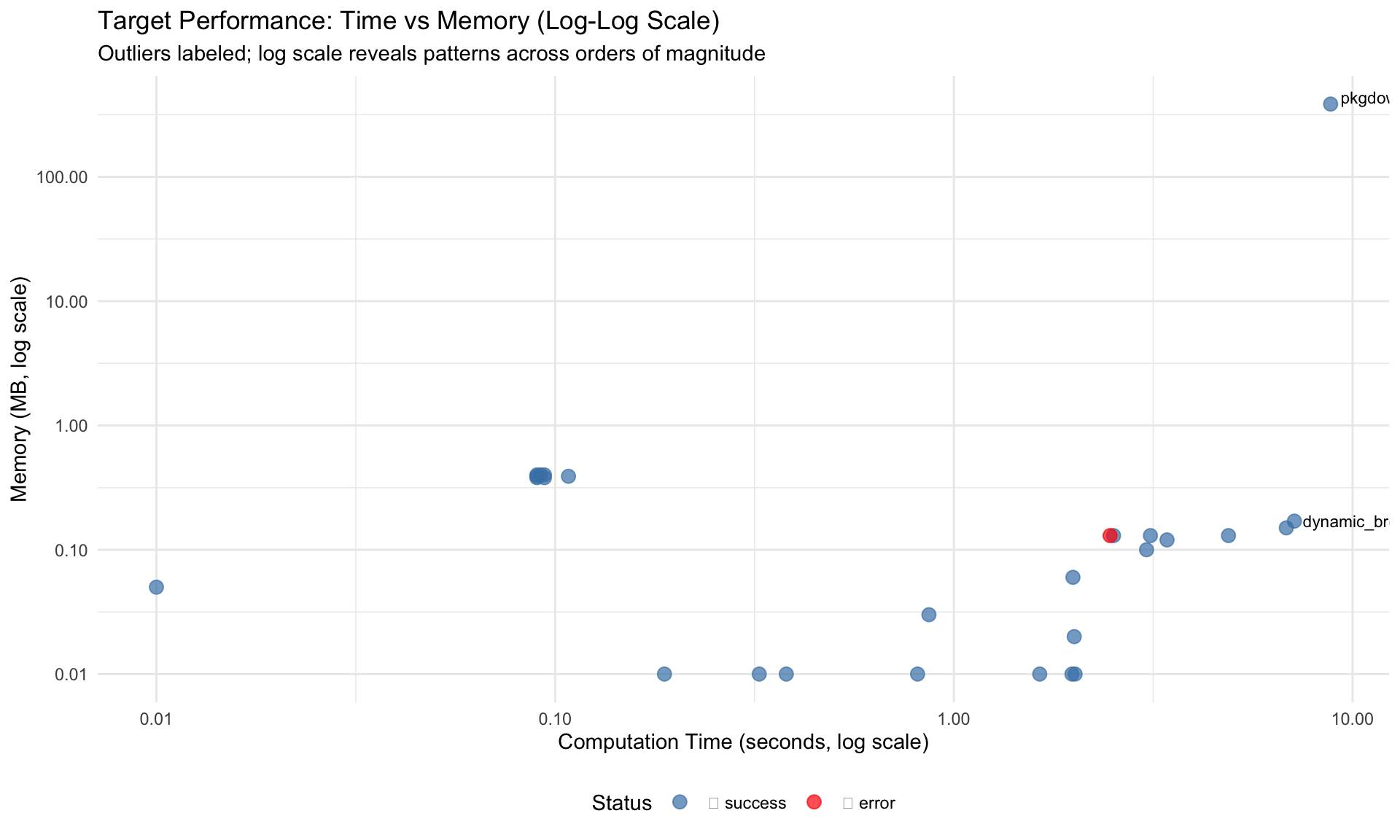
# Generate telemetry from tar_meta() - safe to call AFTER pipeline completestelemetry <-tar_meta() %>%mutate(time_seconds =as.numeric(seconds, units ="secs"),time_formatted =sprintf("%.2fs", time_seconds),memory_mb =round(bytes /1024^2, 2),status =ifelse(is.na(error), "✅ success", "❌ error") ) %>%filter(!is.na(time_seconds))# Display sortable/filterable table using DTtelemetry %>%select(name, time_seconds, memory_mb, status) %>%rename("Target Name"= name,"Time (sec)"= time_seconds,"Memory (MB)"= memory_mb,"Status"= status ) %>%datatable(caption ="Target Pipeline Execution Summary (click columns to sort, use search to filter)",filter ="top",options =list(pageLength =15,order =list(list(1, "desc")), # Sort by time descendingcolumnDefs =list(list(className ="dt-right", targets =c(1, 2)) ) ),rownames =FALSE ) %>%formatRound(columns =c("Time (sec)", "Memory (MB)"), digits =2)
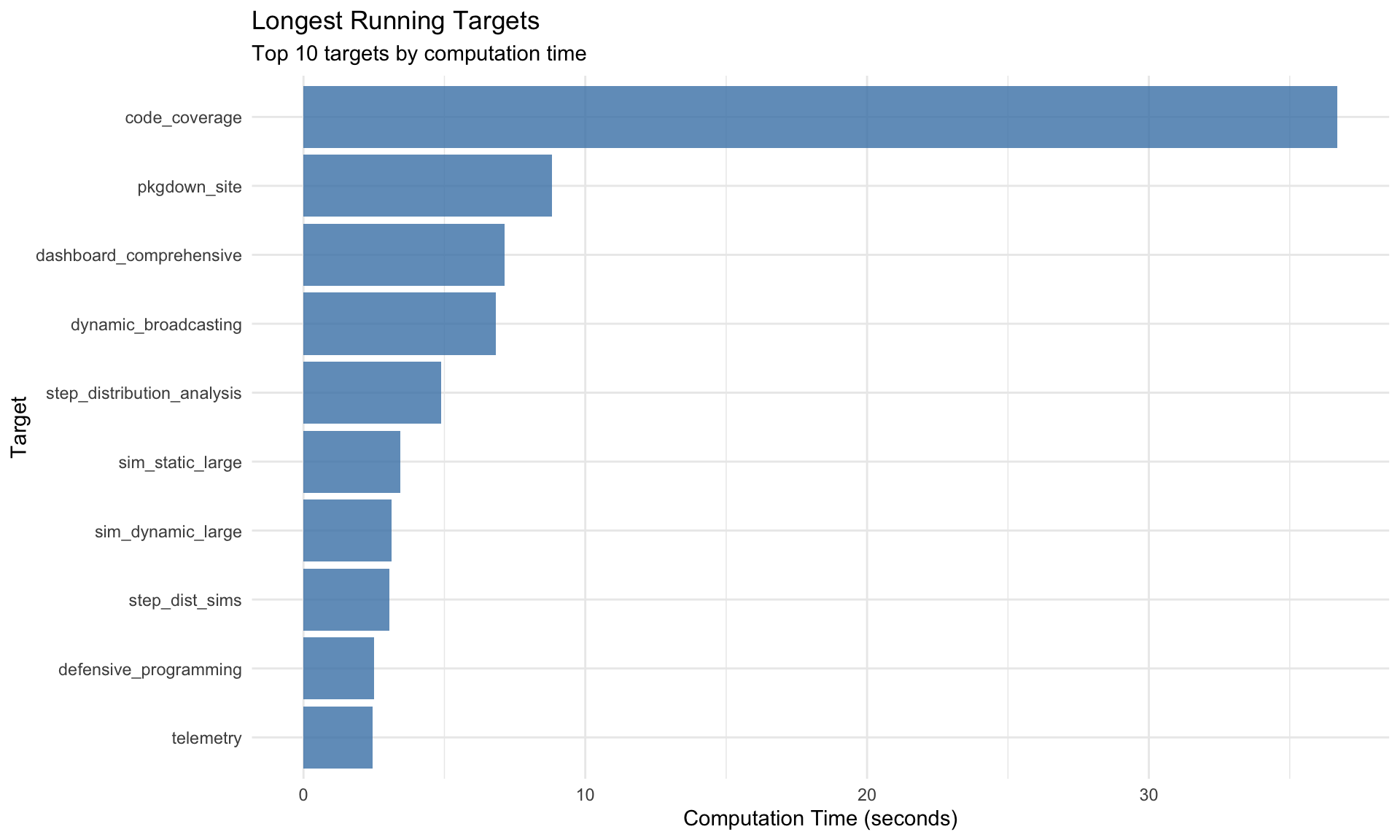
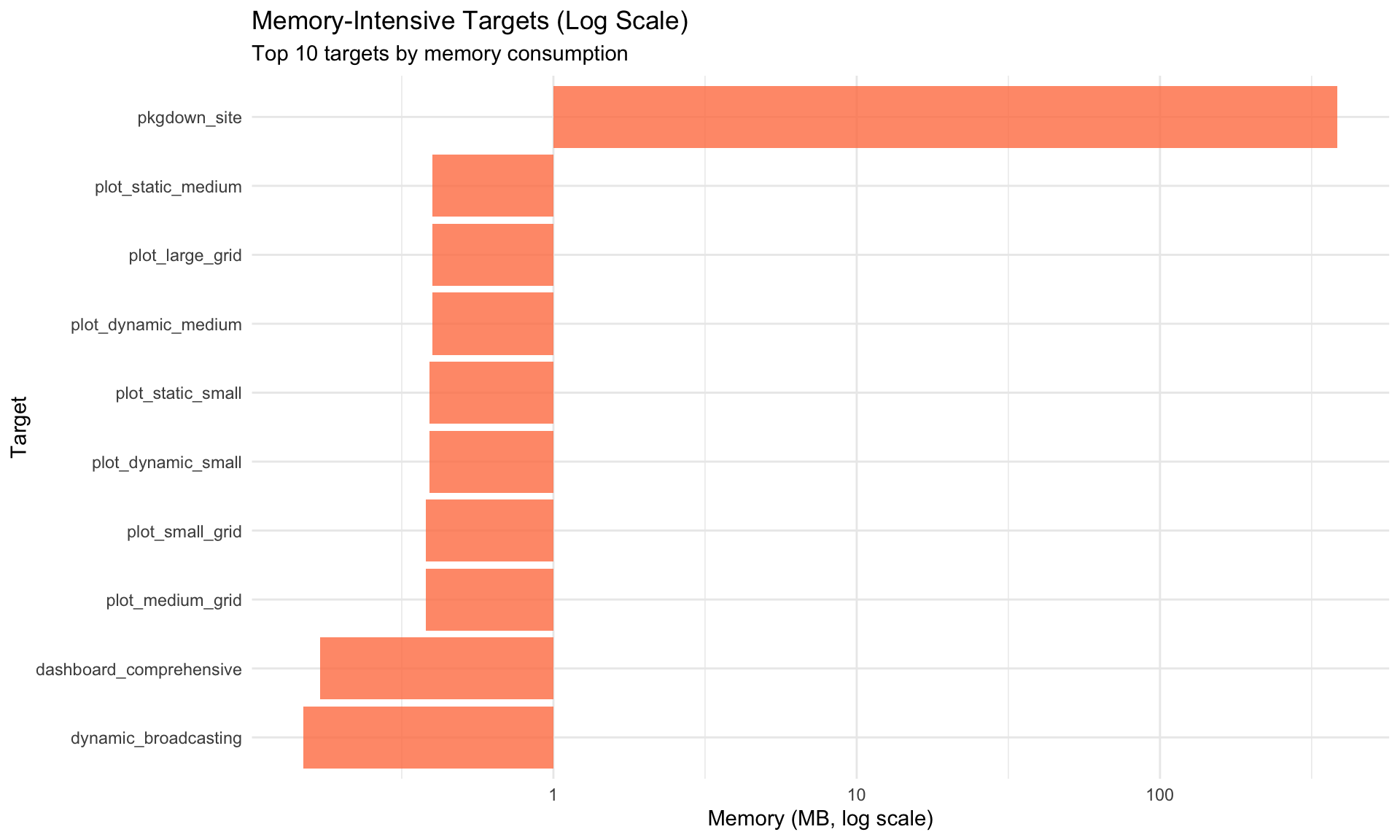
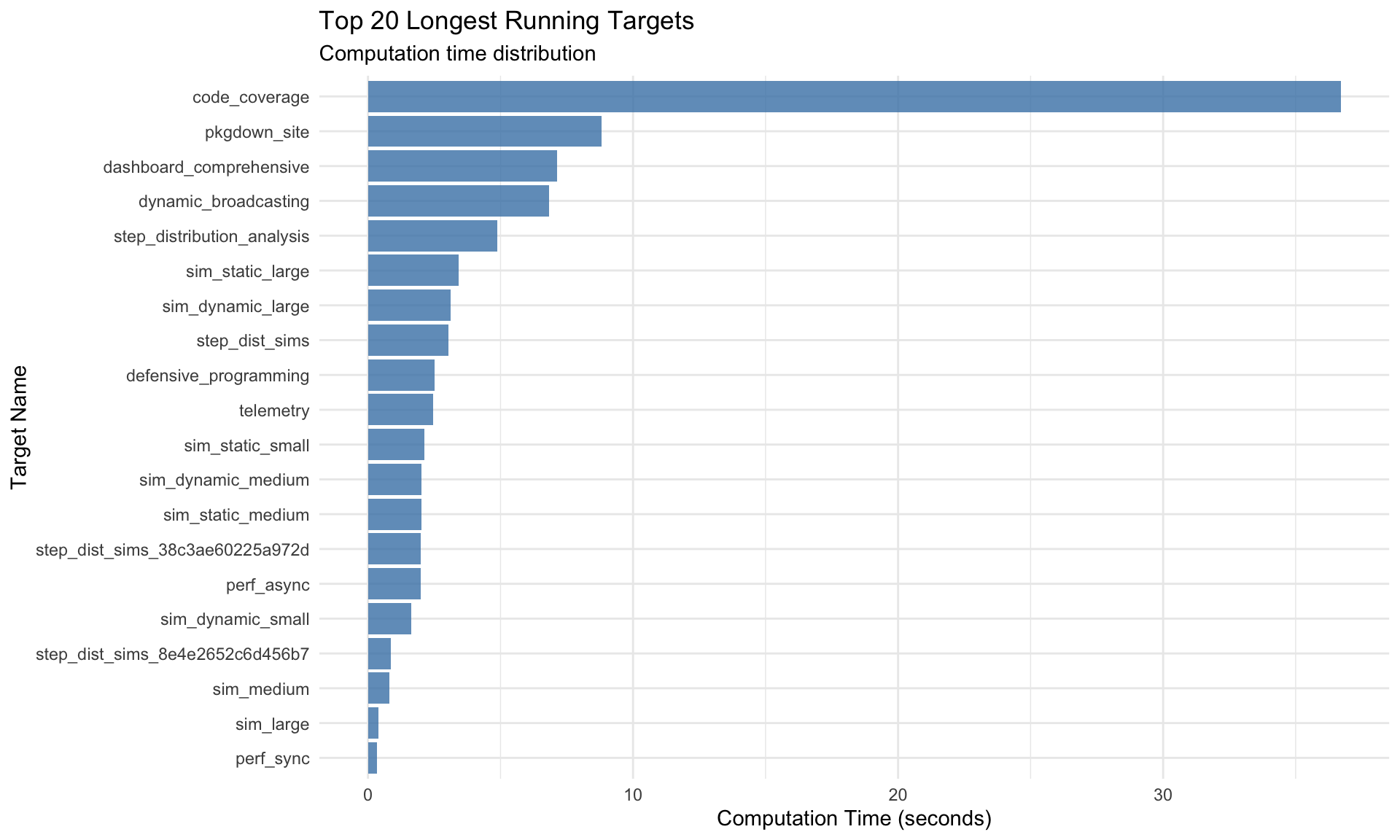
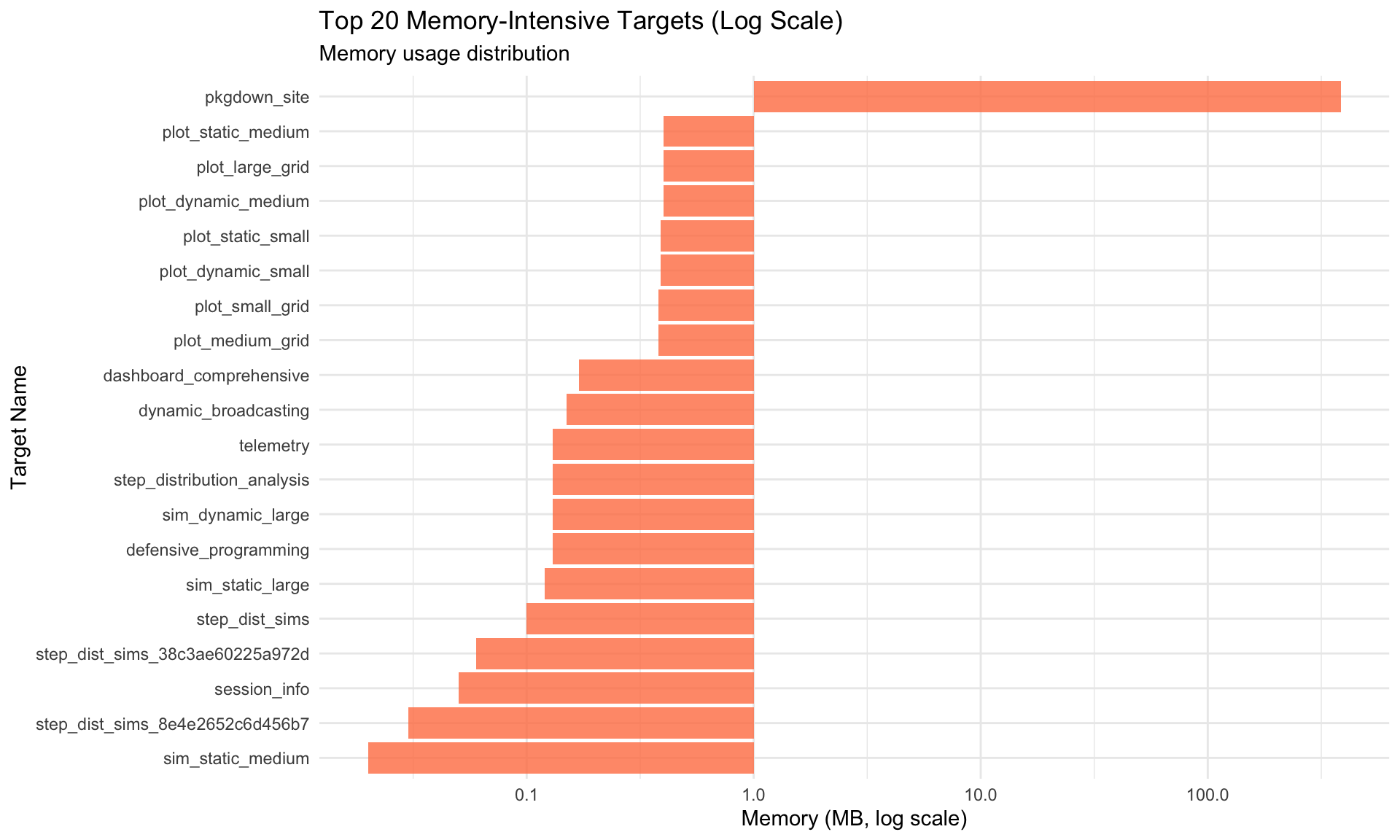
Key Observations: - Targets in upper-right quadrant (high time, high memory) are optimization candidates - Targets with disproportionate time/memory ratios may have inefficiencies
Example Simulations
Small Simulation
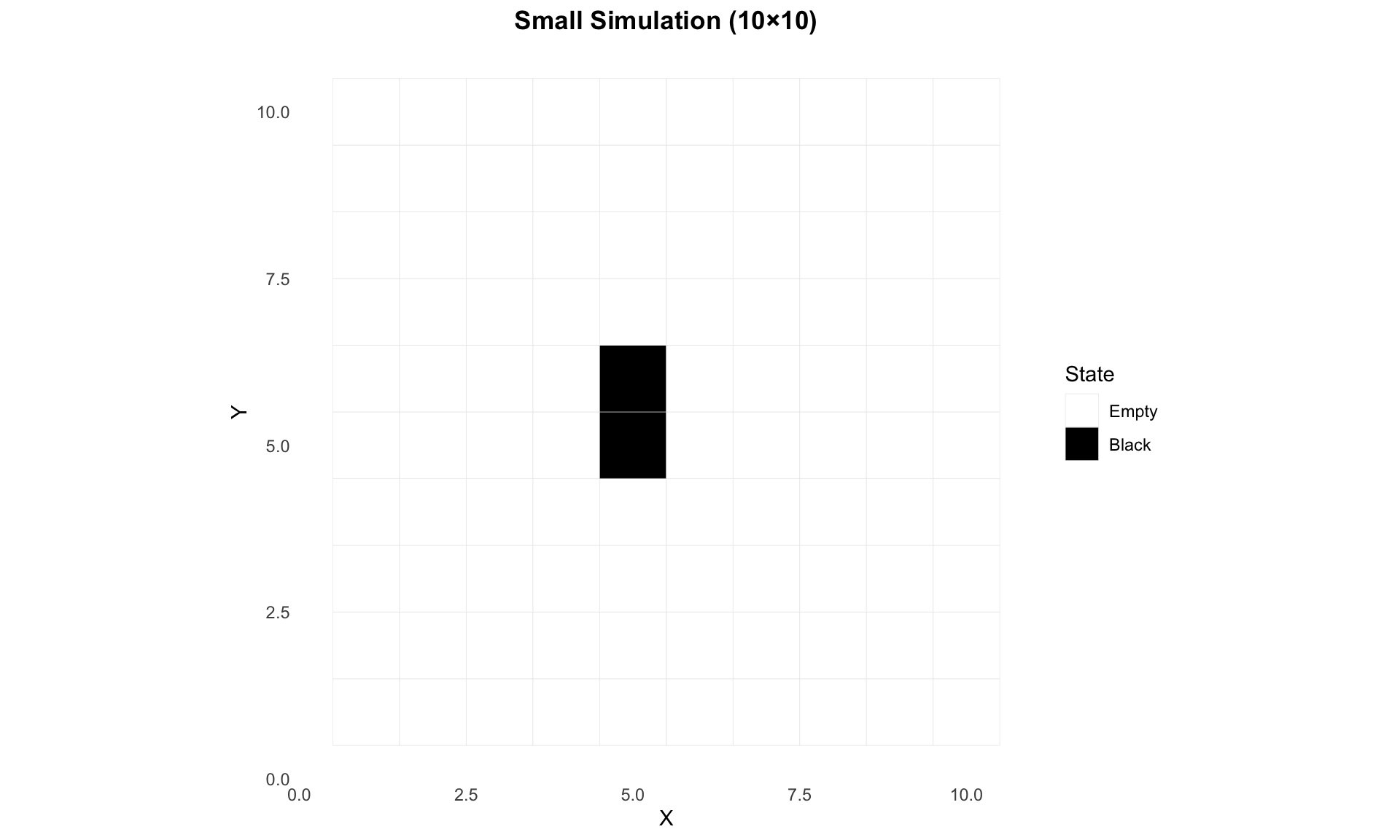
A small 10×10 grid simulation with 3 walkers:
Show code
# Load pre-computed statisticsstats_small <-tar_read(stats_small)# Display statisticsif (is.data.frame(stats_small) ||is.list(stats_small)) {print(stats_small)} else {cat("Statistics available but format not suitable for display\n")}
# Load pre-computed statisticsstats_medium <-tar_read(stats_medium)# Display statisticsif (is.data.frame(stats_medium) ||is.list(stats_medium)) {print(stats_medium)} else {cat("Statistics available but format not suitable for display\n")}